ASP.NET WebForms is often spoken of in the past tense, yet a remarkable number of business-critical applications still run on it. Built to bring the familiar, event-driven model of desktop development to the web, WebForms let a generation of developers drag controls onto a page, double-click to add event handlers, and ship working applications quickly. Those applications did not vanish when newer frameworks arrived. They are still processing orders, managing inventory, and running internal tools today, which means understanding WebForms remains a genuinely useful skill rather than a historical curiosity.
The Page Lifecycle
The single most important thing to understand about WebForms is its page lifecycle, because almost every bug and every moment of confusion traces back to it. Unlike the stateless request-and-response model that underlies the web, WebForms presents the illusion of a stateful, continuously running page. To maintain that illusion, the framework runs each request through a fixed sequence of stages. The page initialises, restores its state, processes the data sent back from the browser, raises the events that the user's actions triggered, and finally renders itself back to HTML before tearing everything down again.
A typical code-behind file hooks into these stages through event handlers:
csharp
protected void Page_Load(object sender, EventArgs e)
{
    if (!IsPostBack)
    {
        // Runs only on the first request, not on subsequent postbacks
        BindCustomerList();
    }
}

protected void SaveButton_Click(object sender, EventArgs e)
{
    // Raised during the event-handling stage of the lifecycle
    SaveCustomer();
}
The check for IsPostBack is the detail that trips up newcomers most often. Because Page_Load runs on every request, including the postbacks caused by button clicks, code that should run only once must be guarded, or it will needlessly repeat and overwrite the user's input. Mastering the order of these stages is the key to working confidently in WebForms.
ViewState and the Cost of State
The mechanism that sustains the illusion of statefulness is ViewState. Between requests, WebForms serialises the values of the controls on a page into a hidden field, sends it to the browser, and reads it back when the page is posted again. This is what allows a textbox to remember what the user typed without any explicit code on the developer's part. It is convenient, but it has a cost. A page that carelessly stores large grids or unnecessary data in ViewState can balloon to an enormous size, slowing every round trip. Experienced WebForms developers learn to disable ViewState on controls that do not need it, keeping pages lean. Understanding what lives in ViewState, and why, separates a fast WebForms application from a sluggish one.
Keeping Legacy WebForms Secure
Security deserves particular attention in older applications, because the threats have evolved even where the code has not. ViewState should be protected against tampering, which the framework can do by signing it with a message authentication code so that a malicious user cannot alter the round-tripped data. Request validation, which guards against script injection, should remain enabled rather than switched off for convenience. Above all, the timeless rules still apply: parameterise database queries to prevent injection, encode output to prevent cross-site scripting, and protect state-changing actions against cross-site request forgery. A WebForms application that has been running untouched for years is exactly the kind of system where these protections quietly fall out of date, so a security review is often the most valuable maintenance a team can perform.
A Bridge to the Future
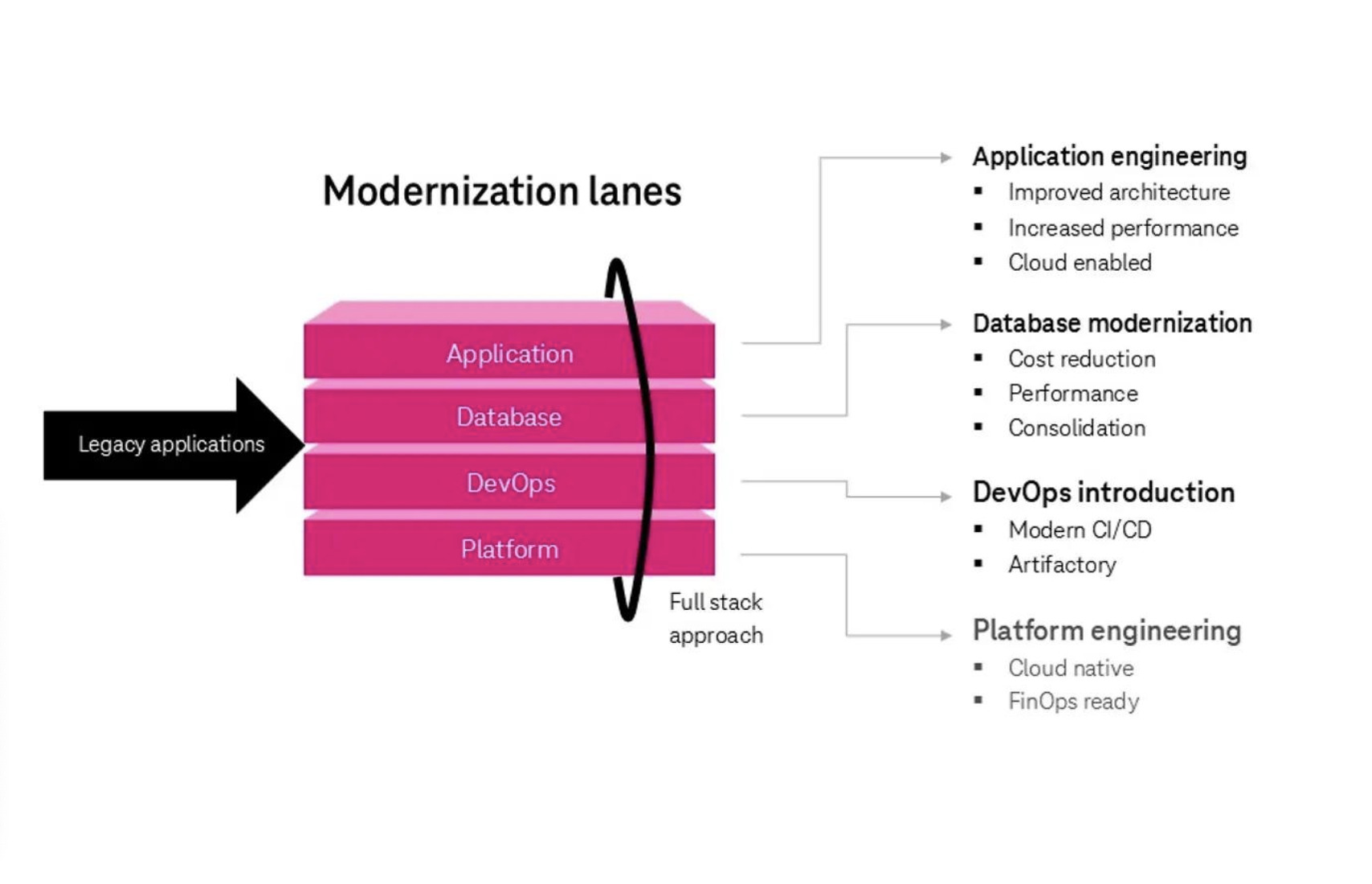
The honest reality is that WebForms is no longer where new development happens, and that there is no direct, automated path to carry a WebForms application onto modern .NET. This does not mean a rewrite is the only option. The same incremental philosophy that serves any legacy modernisation applies here. A common strategy is to stand up a modern application alongside the existing one and migrate functionality area by area, often using a shared authentication scheme and a routing layer so that users move between old and new pages without noticing the seams. Newer pages can be built with a modern framework while the WebForms pages continue to serve the parts that have not yet been touched.
Where outright migration is not yet justified, there is still value in keeping the existing application healthy. Isolating business logic out of the code-behind and into separate, testable classes makes the system easier to maintain today and dramatically easier to migrate tomorrow, because the logic worth keeping is no longer entangled with the page lifecycle. This single refactoring, pulling rules out of event handlers and into plain classes, is perhaps the highest-leverage investment a team can make in a WebForms codebase, whether or not a full migration is ever planned. It pays off immediately in the form of code that can be unit tested without a browser or a page lifecycle, and it pays off again later by giving any future migration a clean body of logic to carry forward rather than a tangle to unpick under pressure. Even small, steady steps in this direction compound over time, turning an intimidating monolith into something a team can reason about with confidence.
WebForms occupies an unusual place in the .NET world, neither current nor truly gone. For the developers who maintain these systems, the goal is rarely to celebrate the technology or to mourn it, but simply to keep it running well, to keep it safe, and to position it so that, when the time comes, the move to something newer can happen gradually and without drama. Treated with that kind of pragmatic respect, even a decade-old WebForms application can remain a dependable, well-behaved part of an organisation's software for years to come.